For PMs who ship with AI coding agents
Build the right thing, at AI speed
A simple, visual editor for the product context your AI coding agent builds from.
Why now
Code got cheap, clarity didn't
With coding agents, building is no longer the bottleneck. Deciding what to build, and keeping everyone and every agent aligned on it, is.
Before AI agents
With AI agents
Aligner targets the two parts that grew: deciding what to build, and the rework when the agent has to guess.
The principle
Clarify in Aligner, keep going in chats
A structure, not a process
Aligner keeps an evolving, reviewable picture of the product, and nothing else.
Your way to develop
Tickets, prompts or vibe coding: build the way you already do.
Aligned when you need it
The agent reads the picture before each change and updates it after, in the same commit as the code.
Product
Start from people and their jobs
Each persona carries the jobs they hire the product for, and the flows that serve each job.
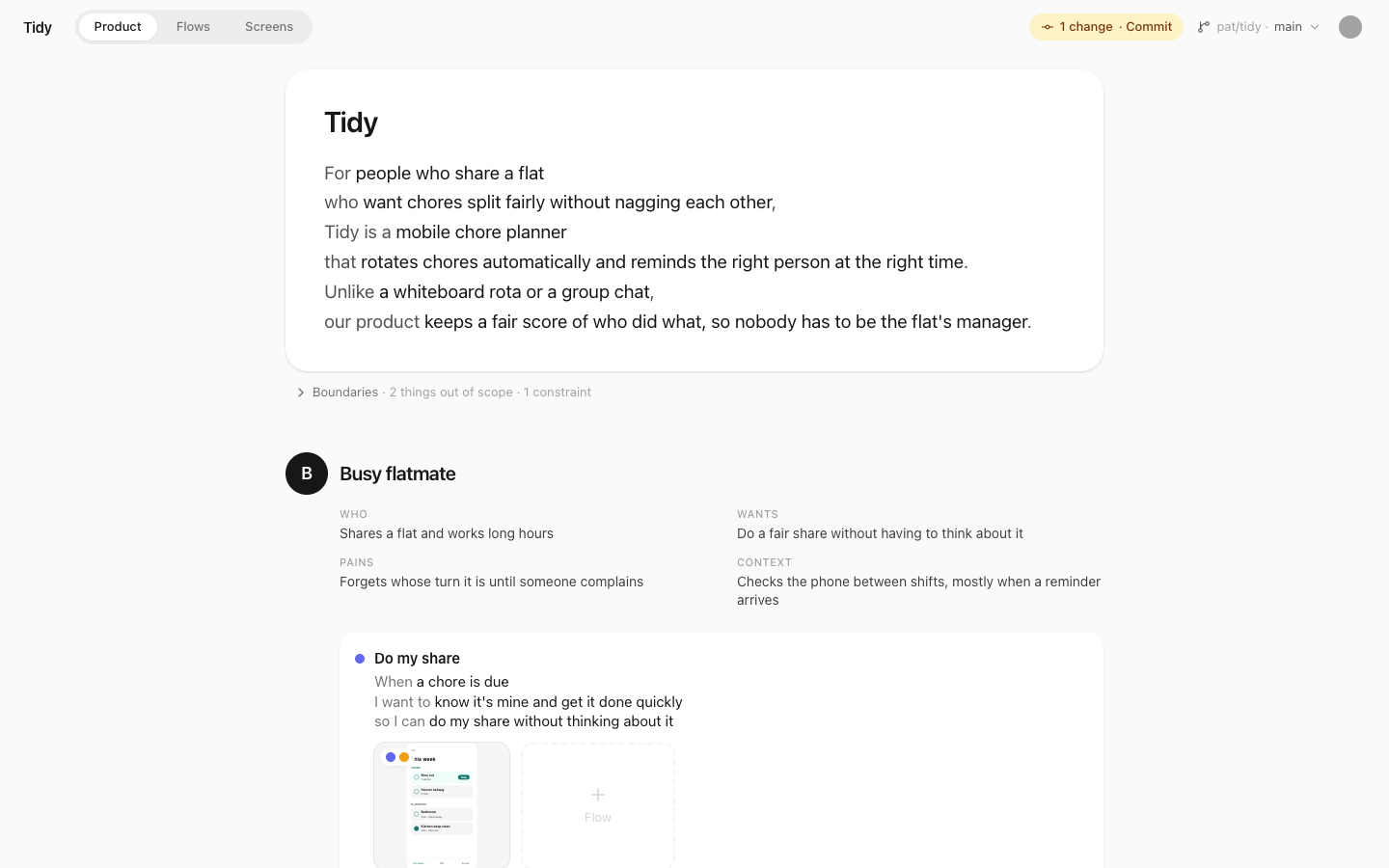
Vision→Persona→Job→Flow→Screen
Each step of a flow happens on a screen, so every screen traces back to the jobs it serves. A flow that serves no job, or a job no flow serves, gets flagged, like a warning from a type checker: you see straight away when work drifts from what creates value.
Most spec-driven tools trace a spec down to its tasks and code. Aligner traces it up, to who it's for and why.
Flows
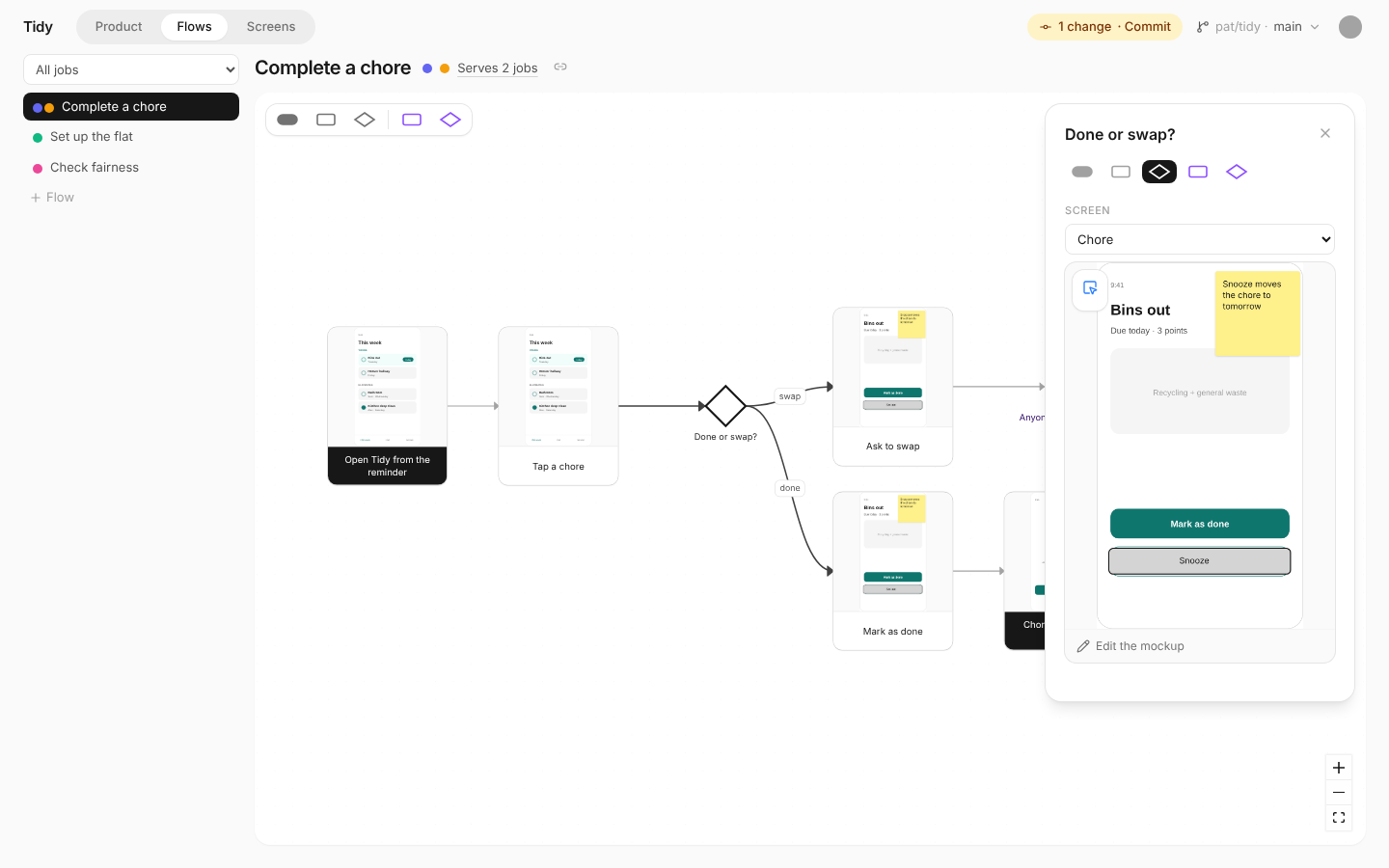
Sketch the logic, the agent builds it
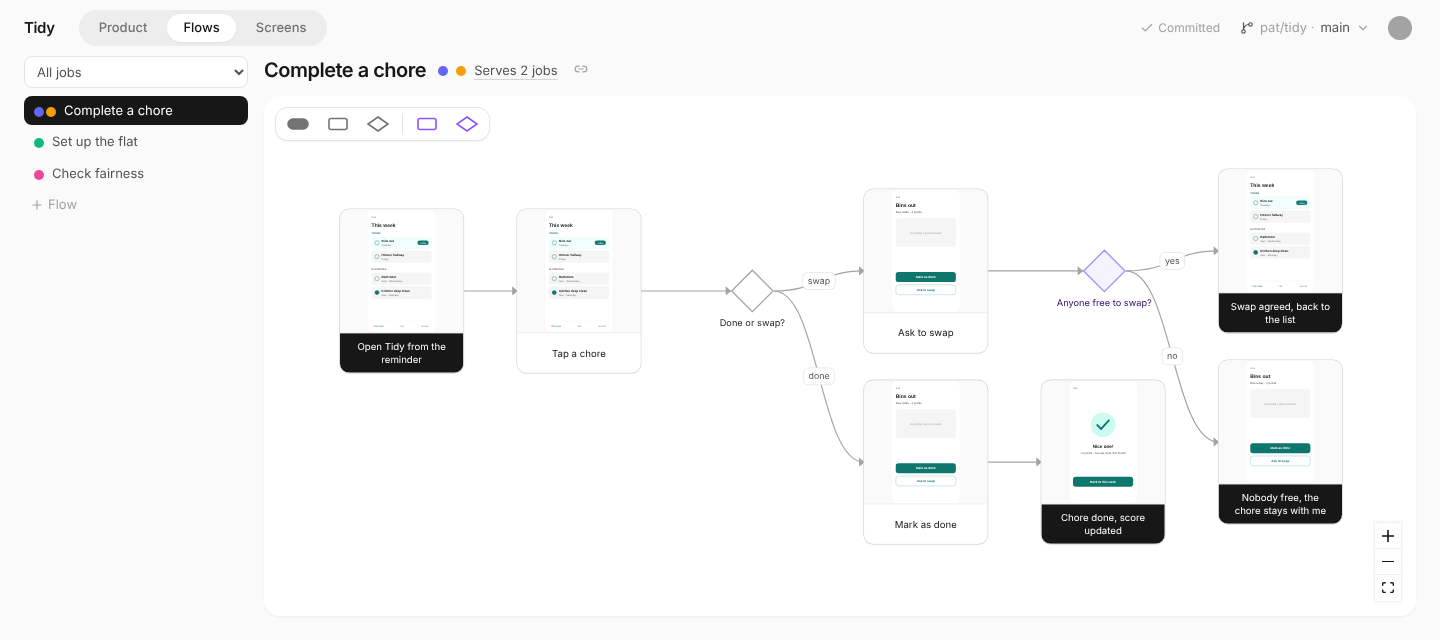
A flowchart is the spec: the steps, the decisions, and the screen each step happens on.
Screens
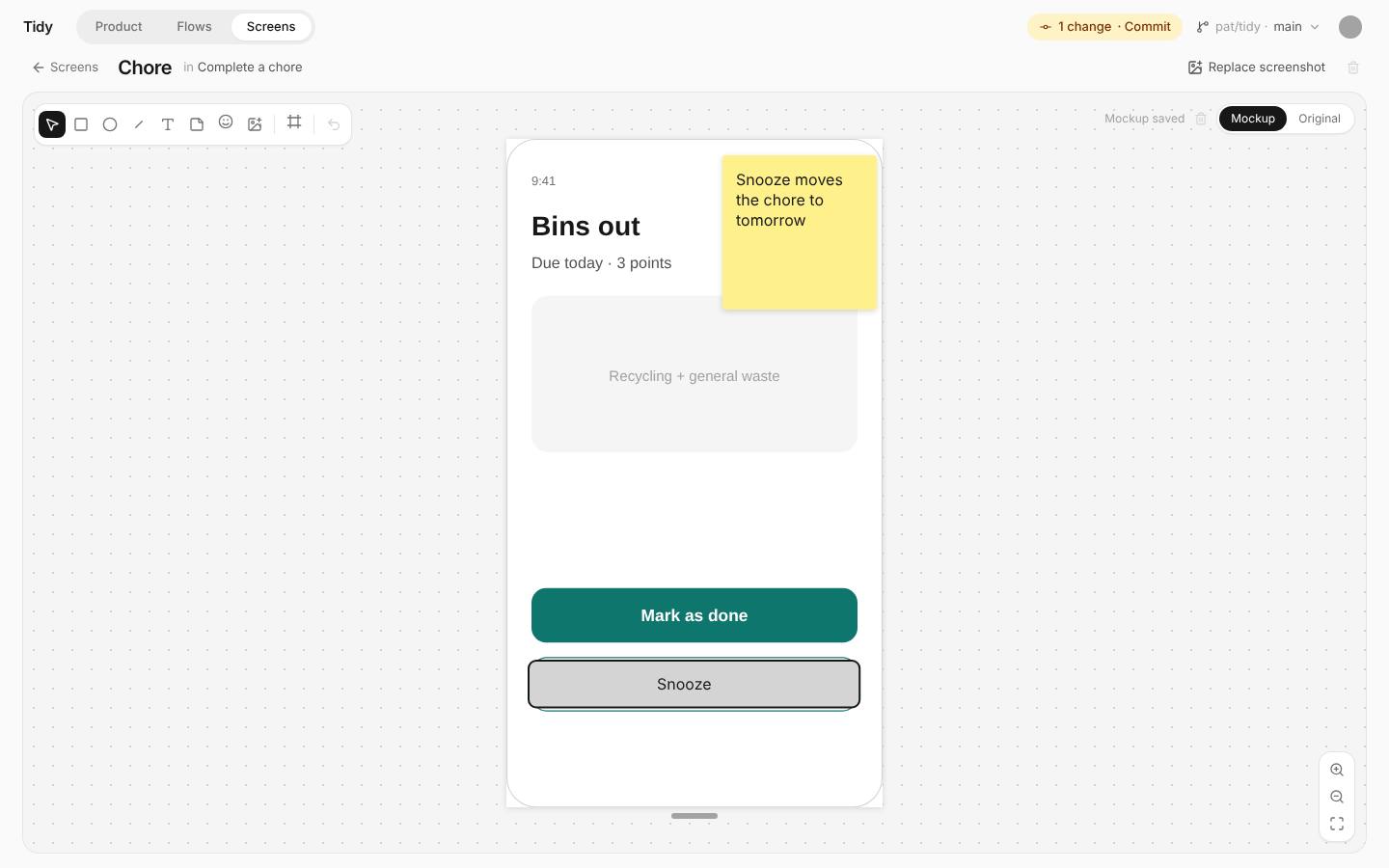
Draw what you mean, on any screen
Change what exists by drawing on its screenshot, or prototype what's new on a blank phone or laptop frame.
Solo or with a team
One picture of the product, for every agent that builds it
Plain files in your repository: people edit them as pictures in Aligner, and agents read them as text.
product/in your repoAligner adds its rules to CLAUDE.md and AGENTS.md, which coding agents read in every session.
product/
  INSTRUCTIONS.md  the format and rules
  product.md       vision, out of scope, constraints
  personas.md      personas and jobs
  flows/           user flows
  screens.md       screens and links
screens/ screenshots, mockupsGet started
Your own Aligner, in ten minutes
A web app you run for yourself on Railway, and open from any computer or your phone.
- Fork productalignment/aligner on GitHub
- Deploy your fork on Railway
- Connect it to GitHub
- Open your product's repository
Open source
Free to use, yours to change
Code under the MIT License, docs under CC BY 4.0. The files Aligner adds to your product are yours, with no attribution needed.